One long video in.
A week of shorts out.
Drop in a video you made. Sniperture finds the moments worth posting, frames them around whoever is talking, and captions every word. Right on your Mac.
No account or card for the trial · Apple silicon Macs (M1 or newer) with macOS 12 or later

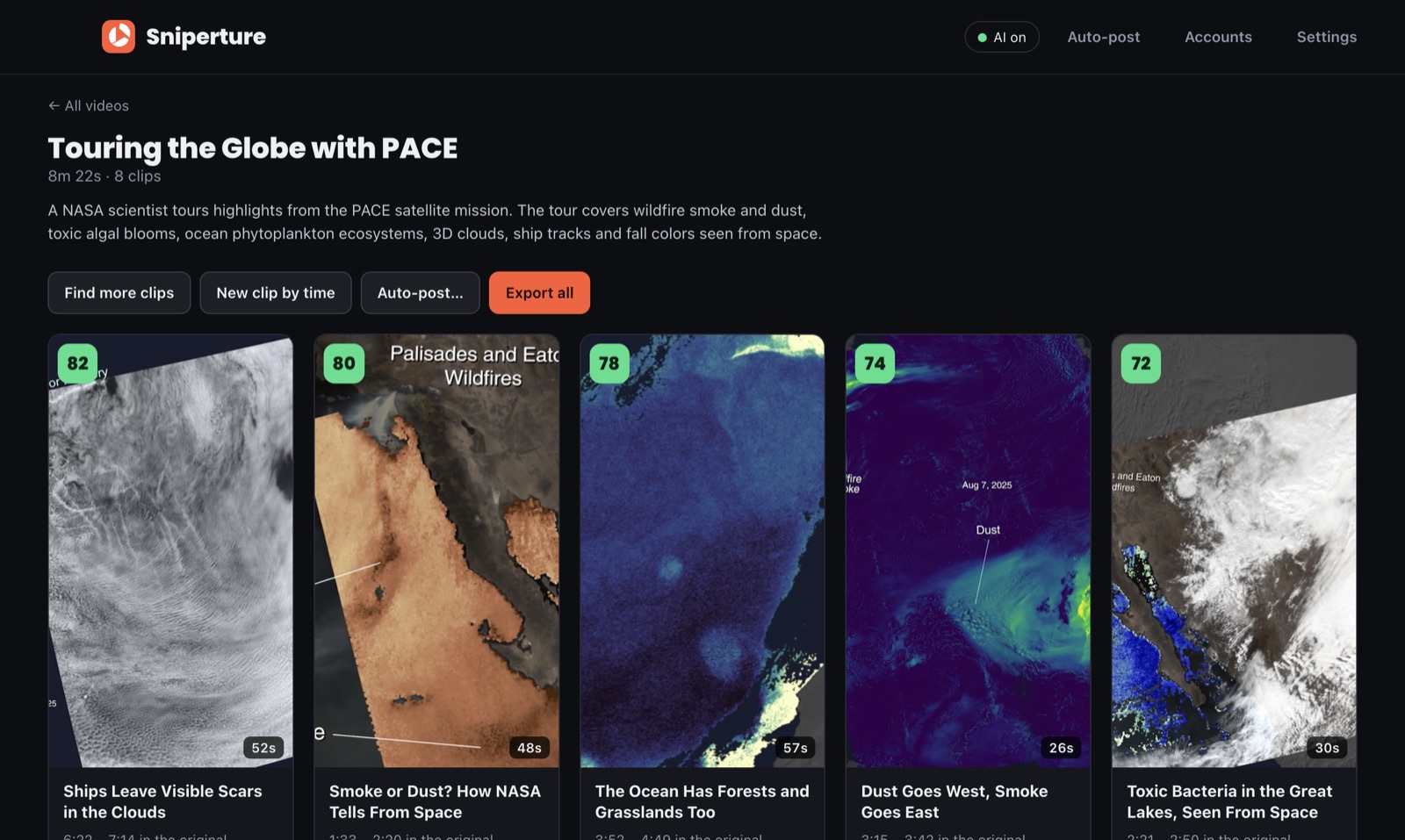
Clips made by Sniperture from NASA Goddard’s “Touring the Globe with PACE”. Not affiliated with NASA.
Watch one video become eight clips
The whole run, start to finish, in 37 seconds.
- 01
Choose a video
Drag in an MP4, MOV, MKV or WebM you made (a podcast, sermon, lesson or livestream recording), or paste a YouTube, Dropbox, Google Drive or OneDrive link.
- 02
Get clips
Sniperture transcribes it on your Mac and hands back the best moments, scored, framed and captioned.
- 03
Export or post
Tweak any clip, then export them all, or send them to YouTube Shorts, TikTok and Instagram Reels.
Stop down to the moment
The parts of clipping that eat an evening, done for you. Every one of them still yours to change.
Finds the moments worth posting
Every clip comes back scored and titled, best first, with the reason it was picked. Ask for clips about one topic, find more, or mark your own by time.
With your Anthropic key, Claude reads the transcript to pick and title the clips. Without one, a built-in picker does it on your Mac.
Keeps whoever is talking in frame
Face tracking follows the speaker through camera cuts. Two people on screen? Split stacks them. Shots without a face are shown whole on a blurred backdrop.
- 9:16, 1:1, 4:5 or 16:9
- Zoom and shift by hand when you want to

Captions people read with the sound off
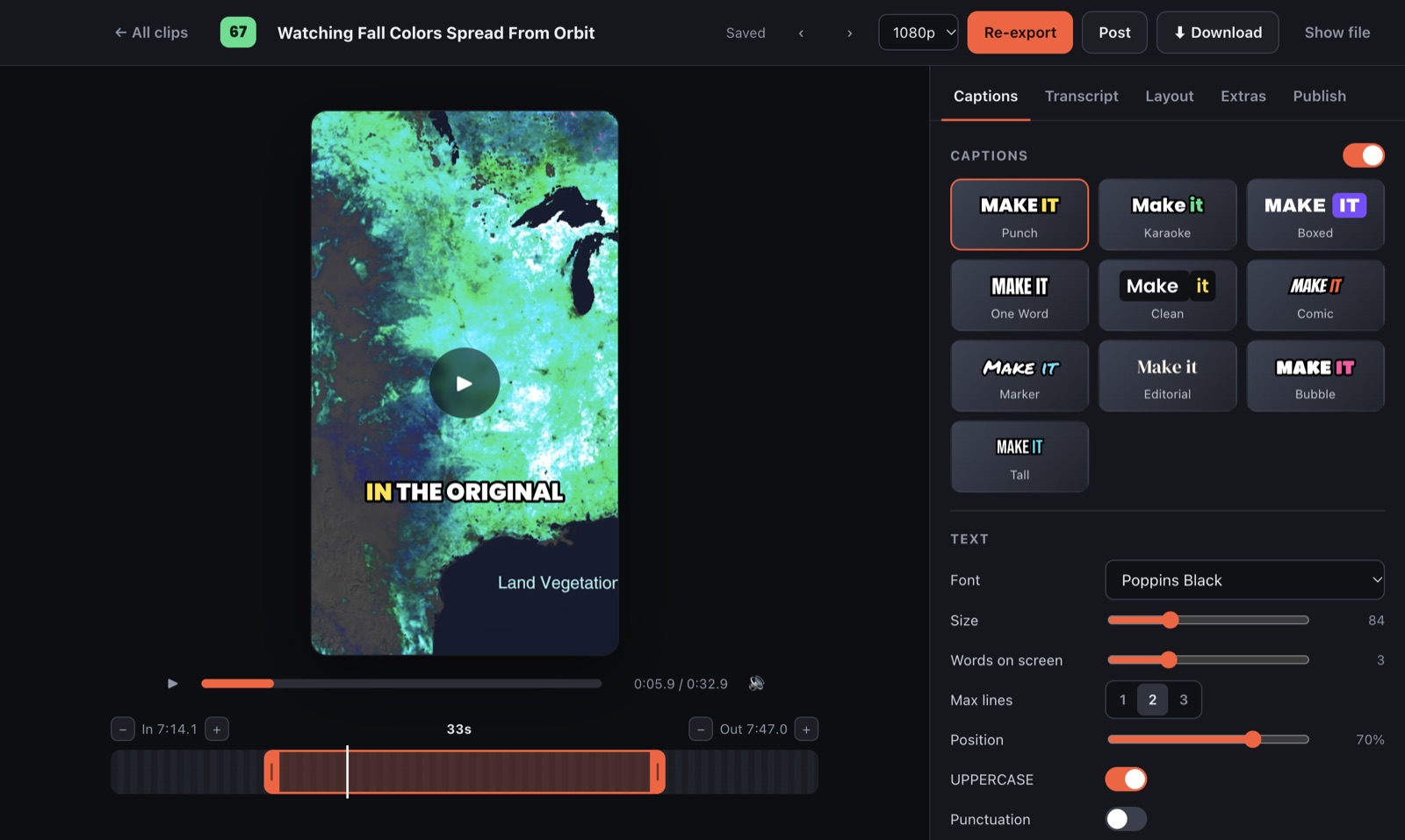
Word-by-word captions in ten styles, with highlight colours, fonts, size and position. Fix any word. Strike words in the transcript to cut them from the video, and drop silences and filler words in one go.
Posts it for you, or hands you the file
Send clips to YouTube Shorts, TikTok and Instagram Reels, now or on a schedule, through Postiz or your own connections. Or export them all as MP4 and post anywhere.
With your Anthropic key, each clip also gets a title, caption and hashtags written for it.

Any video file
MP4, MOV, MKV or WebM from your camera, recorder or editor, or a YouTube, Dropbox, Google Drive or OneDrive link. Clip just part of it if you like.
Edit by the words
Trim by dragging or from the transcript. Strike a word and it is cut from the clip.
Your look on every clip
Logo watermark, hook title, progress bar and saved brand templates. Apply one look to all clips.
Export all at once
Every clip as a 1080p or 720p MP4, with .srt subtitles when you need them.
Even sound
Loudness is evened out, so one clip is never twice as loud as the next.
Auto-post
Switch it on and the best clips from each new video go out on their own.
Your videos stay on your Mac
- Transcribing, framing and rendering all happen on your Mac.
- No account, and nothing is uploaded to us. A clip leaves your Mac only when you post it.
- If you add an Anthropic key, Claude gets the transcript text, never the video, under your own account.
For people with more video than time
Podcasters
An hour-long episode, and the week's Shorts still to cut by hand.
Churches
Sunday's sermon as Reels and Shorts by Monday, without a video editor.
Coaches and teachers
Webinars and lessons that could be twenty short tips.
YouTubers and streamers
Long videos and livestreams that need Shorts to grow.
Try it free. Buy it once.
Make clips from your first 3 videos with every feature. Like it? Unlock Sniperture for good.
Free trial
- Every feature unlocked
- No account or credit card
- As many clips as you like from each trial video
Sniperture Pro
- Yours for good, no subscription
- Use it on up to 2 Macs
- Every version 1 update included
- Email support
- 14-day money-back guarantee
Secure checkout by Polar, who handle sales tax. Your license key arrives by email straight away.
Questions, answered

Your next week of shorts is already in your last video
Try Sniperture on 3 videos, free.