One episode in. A week of clips out.
Drop in your video episode. Sniperture finds the moments worth posting, keeps whoever is talking in frame and captions every word, right on your Mac. No upload, no credits, no monthly plan.
First 3 videos free, every feature, no account · then $79 once · Apple silicon Macs (M1 or newer) with macOS 12 or later
Clips are how new listeners find a show
A new listener rarely starts with a 70-minute episode. They start with a 40-second moment in their feed, then come looking for the rest. Cutting those moments by hand (scrubbing for the good bits, reframing to vertical, fixing auto-captions) is the evening you never have. Sniperture does that part and leaves every choice to you.
How it works
Drop in the episode
An MP4, MOV, MKV or WebM from your recorder or editor, or paste a YouTube, Dropbox, Google Drive or OneDrive link to your own upload.
Get the best moments, ranked
Sniperture transcribes the episode on your Mac and hands back clips, scored and titled, best first, with the reason each was picked. Ask for clips about one topic, or mark your own by time.
Polish and post
Strike words in the transcript to cut them, drop silences and filler words in one go, then export everything or send it to YouTube Shorts, TikTok and Instagram Reels on a schedule.
Built for two mics and a camera
- Two people on screen? Split stacks them so both hosts stay in a vertical frame. Face tracking follows whoever is talking through camera cuts.
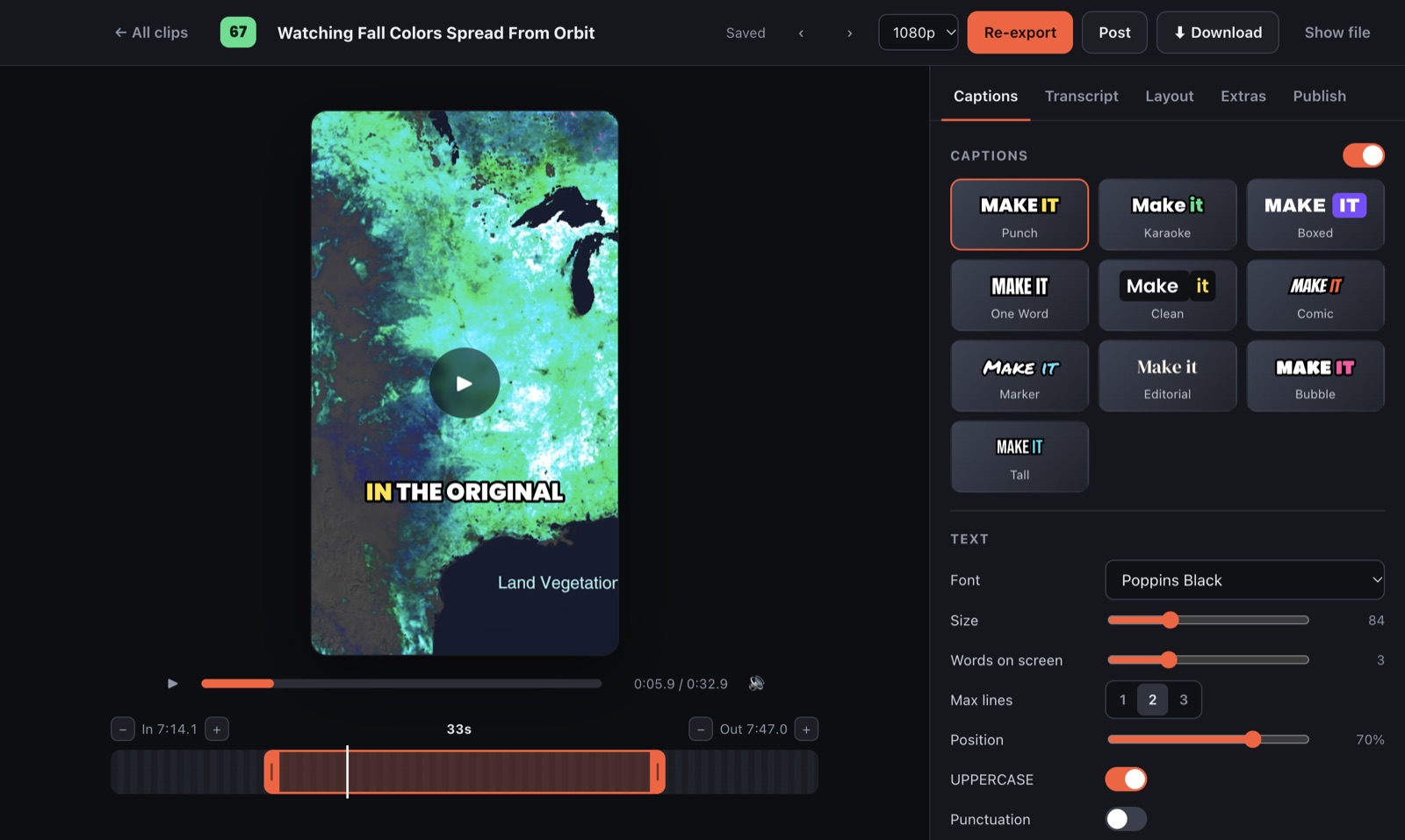
- Captions in ten styles, word by word, with highlight colours, fonts, size and position. Fix any word.
- Your show's look on every clip: logo watermark, hook title, progress bar and saved brand templates.
- Even sound across clips, and .srt subtitle files when you need them.
- Auto-post: switch it on and the best clips from each new episode go out on their own.
Unreleased episodes stay on your Mac
Transcribing, framing and rendering all happen on the Mac. There is no account and nothing is uploaded to us, so an episode you haven't published yet never sits on someone else's server. Read the privacy policy.
Pay once, clip every episode
No minutes, credits or per-clip limits. Sniperture Pro is $79 once (launch price through December 31), works on up to 2 Macs and includes every version 1 update, with a 14-day money-back guarantee. Try it on your first 3 episodes free, with every feature.
Questions podcasters ask
Does it work with audio-only episodes?
Sniperture is made for video podcasts: it works from a video file (MP4, MOV, MKV or WebM) or a link to your video.
Do I need an AI subscription?
No. A built-in picker on your Mac chooses the moments. If you add your own Anthropic API key, Claude reads the transcript text (never the video) to pick and title clips and write post captions, and you pay Anthropic directly for what you use.
Is there a watermark on the free trial?
No Sniperture watermark, ever. The trial is your first 3 videos with every feature; you only add your own logo if you want one.
Which Macs does it run on?
Apple silicon Macs (M1 or newer) with macOS 12 or later. It does not run on Intel Macs or Windows.
Can I clip other people's shows?
Only with permission. Sniperture is made for creators clipping their own work.

Your next week of shorts is already in your last episode
Try Sniperture on 3 videos, free.